
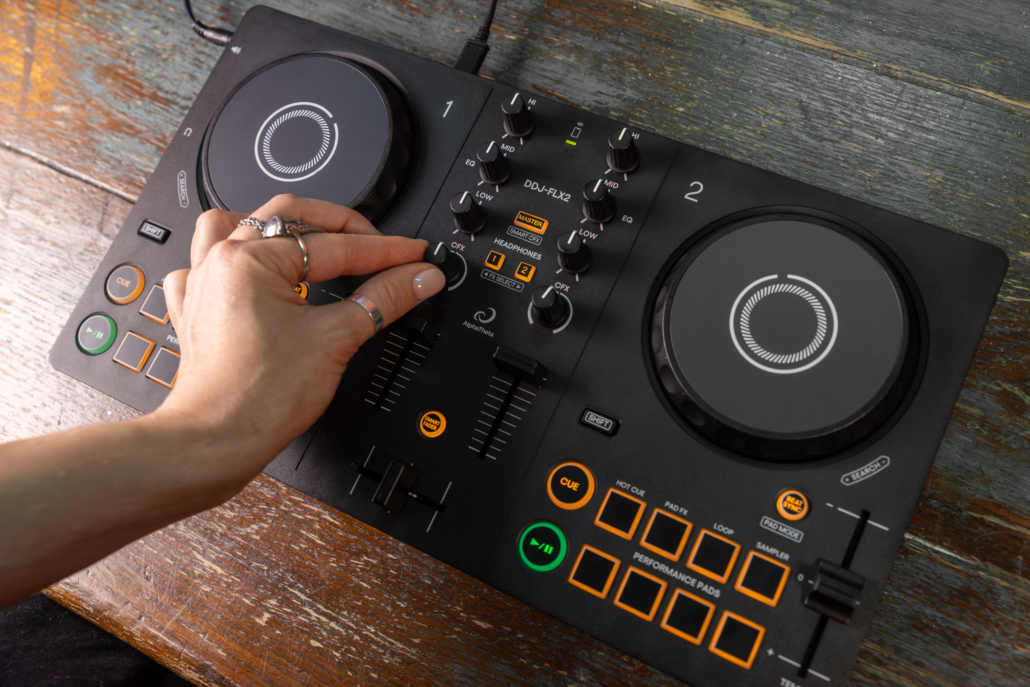
Looking for a DJ controller you can actually travel with? After spending some quality time, a little travel, and a handful of late nights with the AlphaTheta DDJ-FLX2, I was surprised by just how much I enjoyed using it! Here’s my full DDJ-FLX2 review, including who I think it’s for, specs, the pros and cons, and whether or not it’s worth buying. The good, the bad, and the dance floor. Enjoy!
Disclaimer: AD. The fine people at AlphaTheta did send me a shiny new DDJ-FLX2 to try out. However, I solemnly swear that this review is the truth, the whole truth and nothing but the truth so help me Carl Cox. I am here to thrill, not to shill.
DDJ-FLX2 OVERVIEW
Ok, so I’ve been a musician since I was a kid, and my life with instruments began in the rhythm section: the piano and the string bass. I hauled that thing around (the bass, not the piano, you masochist) from school to lessons to concerts to home. It kinda sucked, but then again, I discovered Miles Davis and started to learn what Cool was. So What if my back hurt.
In the following years I’d transition into electric bass and guitar so as to start punk and metal bands. Those pursuits came along with hauling around half stacks and flight cases (spoiler alert: garage bands don’t have roadies).
Once I discovered dance music, it was game over. I was naturally drawn beyond the dance floor to the decks and loved the concept of being able to show up and rock a party with a mobile setup. These days, of course, you can have your entire music library sitting on a USB, laptop, tablet, or even your phone, and with the right little piece of gear, be ready to DJ pretty much anywhere.
Enter the AlphaTheta DDJ-FLX2.
I’ll admit that when I first got my hands on its predecessor, the DDJ-200, I wasn’t completely convinced. My first bedroom controller was the DDJ-400, fully capable of rocking a party itself, and I’ve spent plenty of time playing on larger Pioneer/AlphaTheta setups since then. I generally like having a bit of room to work with, especially when I’m playing an actual party or club where I know I’m going to be behind the decks for a few hours.
The more I played around with the FLX2, though, the more I enjoyed the simplicity and size.
It’s an incredibly small, lightweight way to have a fully functional DJ controller with you almost anywhere. Throw it in a backpack, connect a laptop, tablet, or phone, find a speaker, and you’re pretty much ready to go.
I read the other day that playtime, for kids, is a ritual taken very seriously and that’s what makes it so special. The FLX2 is a pleasantly versatile toy that demands to be taken seriously, and given its playability, rightfully so!
For me, it fits into a similar category as my Teenage Engineering KO-33. It’s not necessarily the piece of gear you buy because you need it or it rounds out your setup. It’s the piece of gear you take with you because you might want to make some noise somewhere and have fun on the go.
That’s where this lil guy really shines!
WHO IS THE DDJ-FLX2 FOR?
Naturally, the most obvious customer for the FLX2 is a beginner.
If you’re just getting into DJing, there’s a lot to like here. You have two decks, jog wheels, EQ controls, channel faders, a crossfader, cueing, performance pads, a decent array of effects, and a handful of features designed to make getting started a bit less intimidating.
The Smart Fader and Smart CFX features are particularly useful if you’re still figuring out how to make smooth transitions without having to think about every single control at once. Alpha Theta specifically designed these features to simplify transitions and effects for newer DJs.
However, there’s another audience that will get plenty of enjoyment out of it as well: established DJs, whether touring professionals, or highly active amateur aficionados like yours truly.
All of you sore-backed selectors out there who already DJ and want something light and easy they can travel with will honestly really appreciate the FLX2.
It’s small enough that I don’t have to think twice about bringing it somewhere, as I do with my old DDJ-400 (just big enough to be clunky or demand its own checked bag/small flight case while traveling). I can throw it into a small backpack alongside a laptop or my phone and suddenly I have a complete little DJ setup with me.
It’s a fun addition to the travel arsenal, for impromptu seshes, or even a planned house party.. You’re not bringing it because you expect to headline a festival with it. You’re bringing it because there’s a chance you’ll end up somewhere with a speaker, a few friends, and a couple hours to kill.
And if that happens, well, why not have some fun and spin?
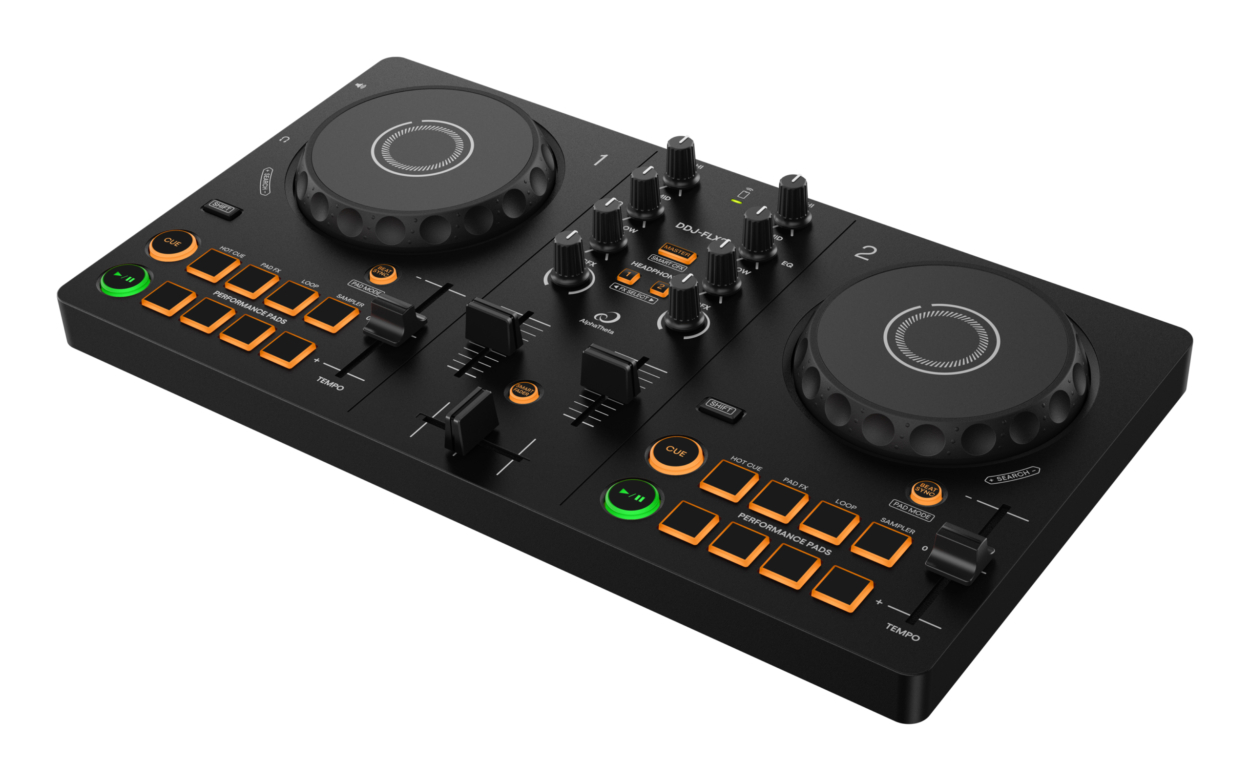
Photo credit: AlphaTheta
DDJ-FLX2 SPECS
- Size: 383.2 × 208 × 48.2 mm
- Weight: 1.2 kg / 2.6 lbs
- Decks: 2-channel / 2-deck layout
- Jog wheels: Compact touch-sensitive jog wheels
- Effects: Smart CFX, Smart Fader and Pad FX
- Performance pads: Hot Cue, Pad FX, Sampler and Loop functions
- Outputs: 3.5 mm stereo master output + 3.5 mm headphone output
- Connectivity: USB-C and Bluetooth Low Energy
- Power: USB-C to external power source (phone, power bank, outlet)
- Software: rekordbox (mobile/laptop), Algoriddim djay, Serato DJ Lite, Serato DJ Pro and Traktor Play
- Mobile: Compatible with smartphones and tablets, as well as PC and Mac
- Streaming: Compatible setups can access services including Apple Music, Beatport Streaming, SoundCloud Go+/DJ, Spotify and TIDAL, depending on the software and region.
AlphaTheta describes the DDJ-FLX2 as its lightest and most compact DJ controller, and at 1.2 kg, it certainly lives up to that claim. You can power the controller by connecting the USB-C output to your phone/tablet/ laptop, or utilize the Bluetooth function and connect the controller to a power bank or outlet.
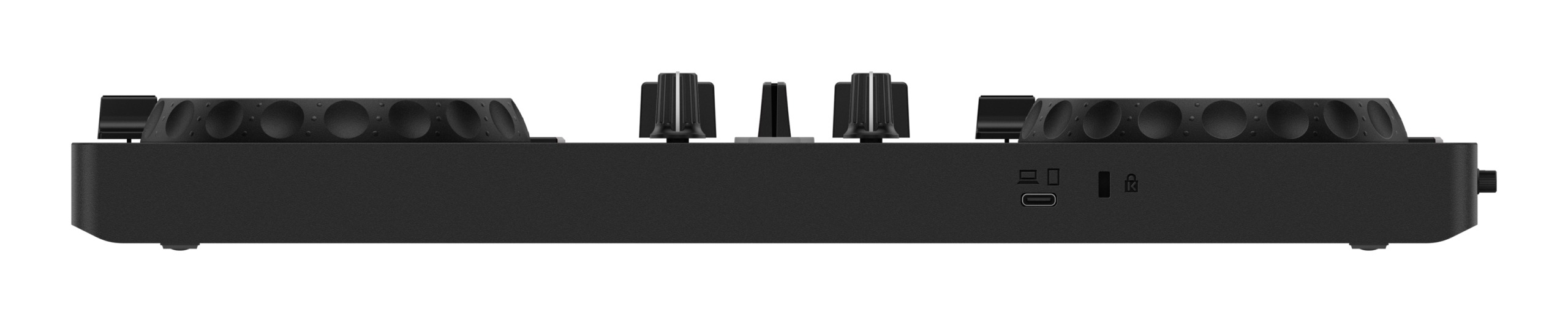
Photo credit: AlphaTheta
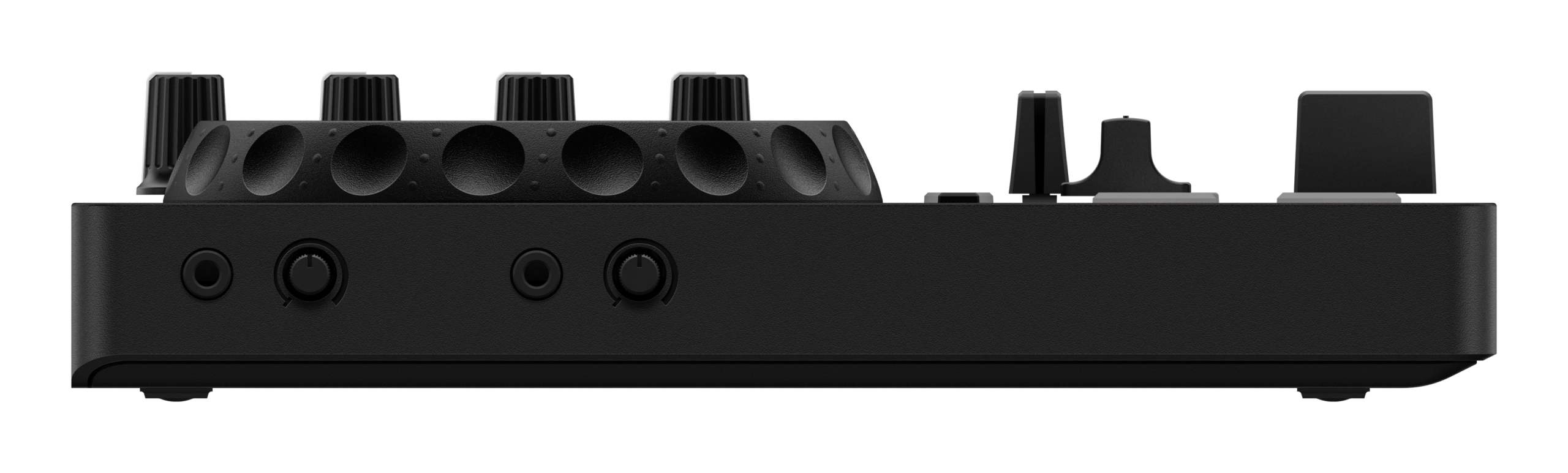
Photo credit: AlphaTheta
MY ON-THE-GO DDJ-FLX2 SPECS
-
- DDJ-FLX2 w/ standard USB-C to USB-C cable
- Sennheiser HD25 headphones
- iPhone 16 w/ Rekordbox app + Spotify
- 3.5mm aux cable
- JBL XTREME 2
- Power supplies: Power bank, 45W charger block, USB-C magnet charger, additional USB-C cable
I will typically plug the FLX2 directly into my phone which can, if needed, charge via magnet charger as the USB-C input is taken by the controller. I use the Rekordbox mobile app and Spotify playlists (data/WiFi needed; use your laptop and local files or USB if you need to work offline). The aux cable to the JBL and also the headphones run out of separate 3.5mm ports on the left side of the FLX-2. Voilà.
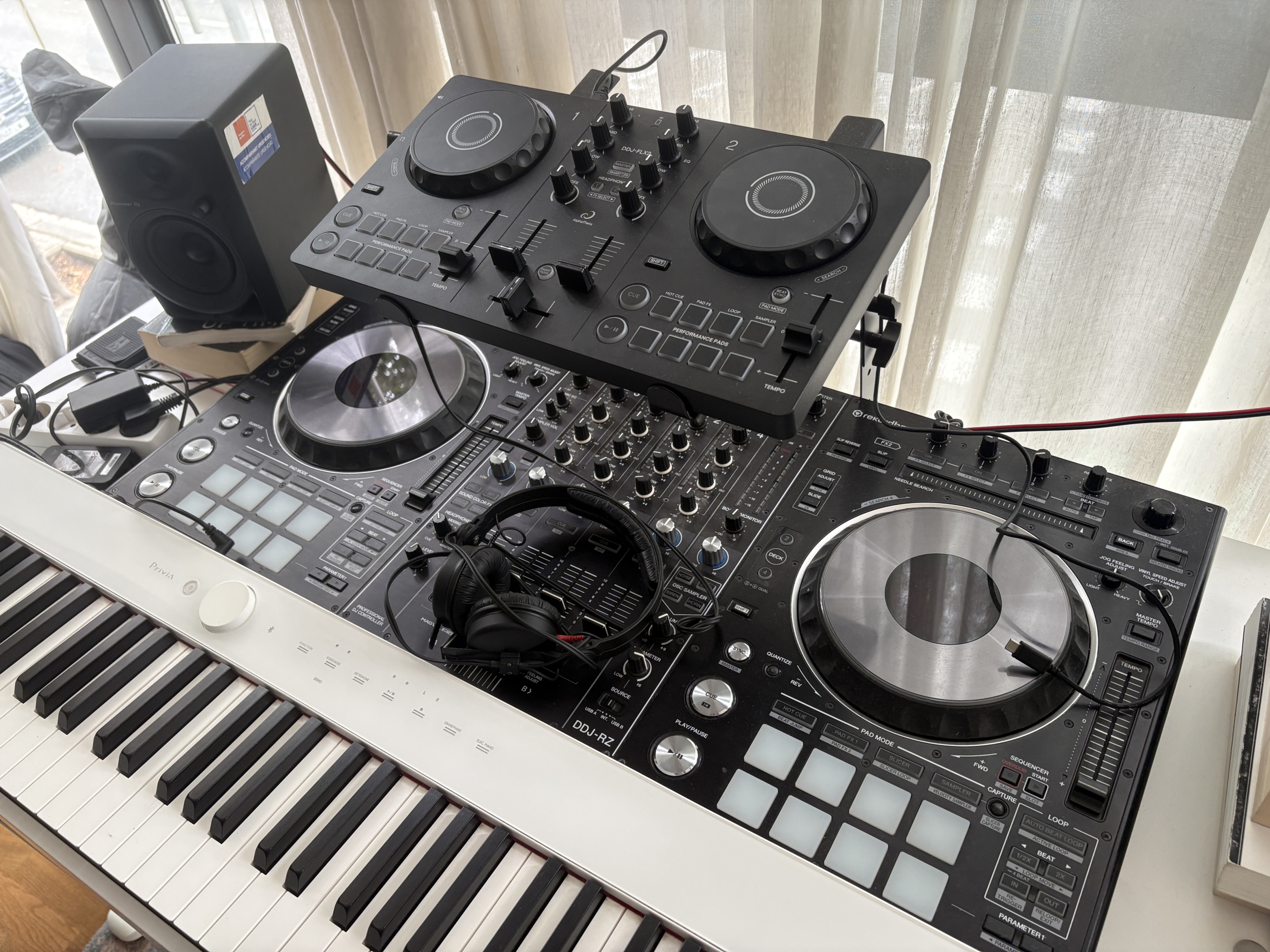
Photo credit: Markus Svoboda
THE PROS
IT’S SMALL. REALLY SMALL.
This is obviously the biggest selling point.
At just 1.2 kg, the FLX2 is ridiculously easy to take with you. It’s just over 38 cm wide, so it doesn’t exactly disappear into a pocket unless you’re wearing JNCOs or the most unhinged cargo shorts the world has ever seen, but I’ve definitely forgotten it was in my tote or backpack before. It’s that light.
Throw it in the bag, head out into the world, go and throw a party.
Ezpz. Done.
IT’S SURPRISINGLY CAPABLE
This is probably what I was most wary about and also what surprised me the most.
For something this small, it becomes quite comfortable to use once you realize it’s nearly as powerful as the DDJ-400 or FLX-4 but just doesn’t quite get there due to its size.
You have proper jog wheels, EQs, channel faders, a crossfader, cueing, effects, performance pads, tempo controls, and the various Smart features.
The performance pads can handle Hot Cues, Pad FX, samples, and loops, and the controller is equipped with Beat Sync. Beat Sync is just another tool in the toolbox, y’all. Not evil like generative AI, but there for those who need it. Purists may be pleased to know there is no Beat Jump function on the FLX2.
It is more limited than its higher end FLX siblings, especially from the FLX-6 on up, but the ease of switching the pads from effects mode to loops, or using your Spotify library off of your phone to make playlists and immediately mix tracks is pretty damn nice.
There are compromises, absolutely, but you can put together a killer mobile mix on this thing. After all, in most cases it’s not the equipment, but rather the DJ and the selection.
THE MOBILE SIDE IS VERY COOL
Being able to connect it to a phone or tablet opens up a completely different use case.
For better or for worse, many controllers are leaning into Bluetooth and cloud connectivity/streaming, and the FLX2 is a pretty good example of that.
You can be somewhere on holiday, at a friend’s house, in an Airbnb, or off in a cozy area of your nearest park (headphones, no speaker situation for me there), and suddenly you’ve got a little DJ setup.
The controller works with mobile versions of supported DJ apps as well as your laptop, which is a big part of what makes it different from a traditional beginner controller.
As someone who spends a fair amount of time travelling, I really like that, and have given the FLX2 a go on recent trips! Stay tuned for my article covering my in-the-wild DDJ-FLX2 test runs (coming soon).
IT’S FUN
This probably sounds like a pretty basic thing to say about a DJ controller, but it matters. Fun matters, y’all! Don’t get it twisted. That’s why we’re here.
The FLX2 is fun to mess around with and because it’s so easy to grab and set up, I find myself being more likely to spontaneously use it. If I’m traveling with a larger controller, there’s a specific time and place for it.
My workflow at home is pretty simple. I don’t have fancy live hardware (yet) and my setup includes a DDJ-RZ, a laptop, studio monitors, a Casio keyboard, guitars and amps, and an M-Audio midi controller. If I can’t just sit down in 2 seconds and bang out some sound, I’m less keen to create.
The best piece of gear is the one you most enjoy, and in this case, actually bring with you.
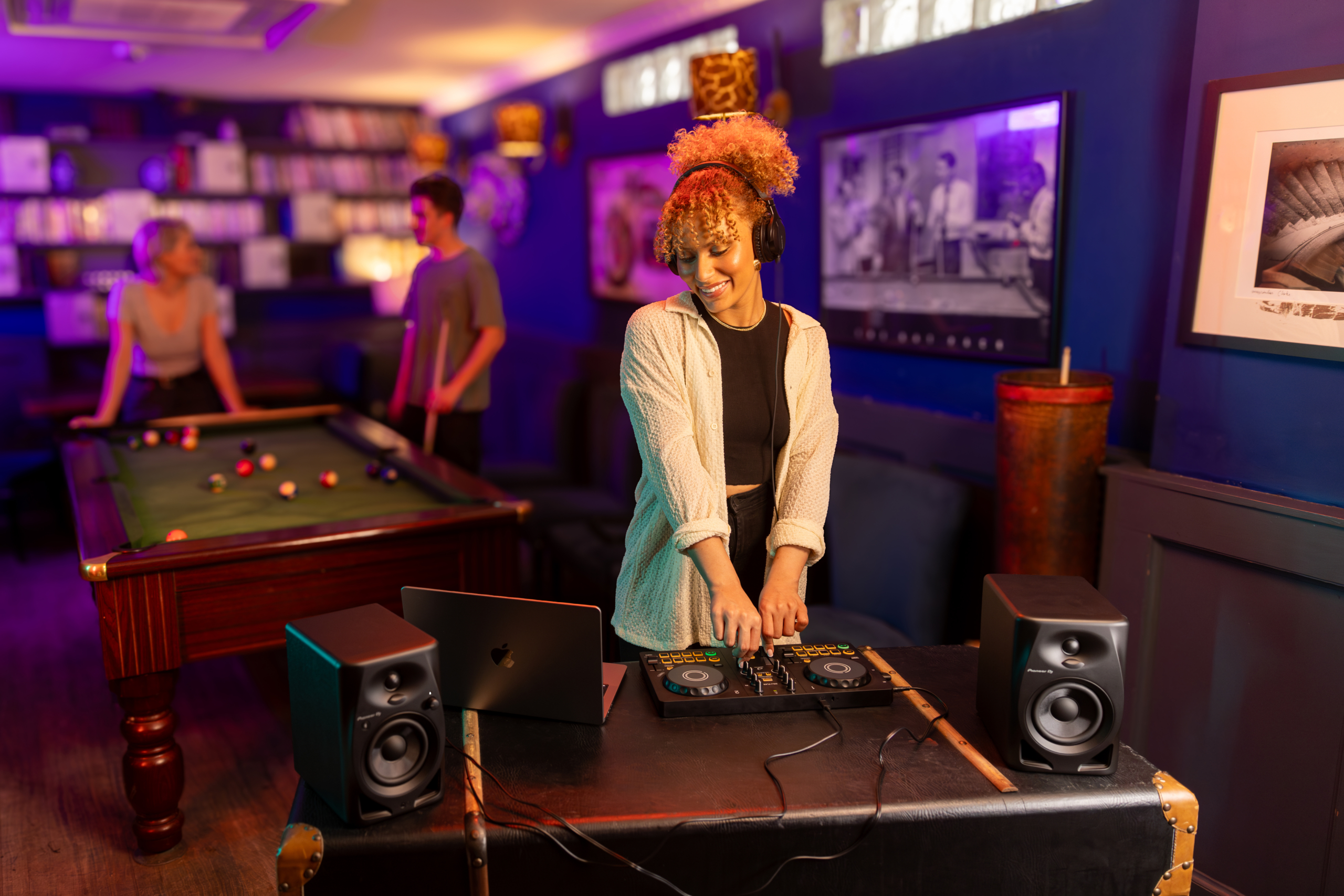
Photo credit: AlphaTheta
THE CONS
IT’S SMALL. REALLY SMALL.
Like. Obviously. Duh, dude.
This is both the biggest pro and biggest con.
The jog wheels are smaller, the controls are closer together, and if you’re used to a larger controller, there’s definitely an adjustment period. My clumsy ass makes typos in every text and WhatsApp I send, so a smaller workspace took some getting used to.
It’s not, say, the difference between watching The Odyssey on 70mm IMAX or watching it on your phone. I wouldn’t play a four-hour club set on the FLX2, but that’s really not what it’s for.
YOU’RE GOING TO HIT THE LIMITS
There’s no dedicated browser control onboard and the outputs are naturally limited compared with more serious controllers. Beat Jump is missing, for example.
The 3.5mm master output is totally fine for a house party or portable speaker, but it’s obviously not the sort of connectivity you’d expect to see on professional club equipment or controller with a few more bells and whistles.
Once you’ve spent time on something like an FLX4 or larger controller, you’re going to notice what’s missing. Again, though, that’s expected.
Small and streamlined is the selling point, not some kind of concession.
SHOULD YOU BUY THE DDJ-FLX2?
Maybe it’s because the DDJ-400 was my first controller, but if you’re buying your first proper DJ controller, I’d probably recommend going straight for the DDJ-FLX4.
There’s simply more room to grow into it.
That being said…
I really like the FLX2, probably more than I expected to, and would honestly recommend it to anyone from kids getting into mixing, to amateur adults, to advanced knob-twisters who could use a fun easy way to throw down on the go.
I’ve played plenty of house parties and even a club or two with the older DDJ-400, and of course, if you’re actually playing a serious set, you want something a bit more heavy duty if not gold standard CDJ3000s. I like having bigger jog wheels, a standalone display or laptop with browse control onboard, more controls, more effects options, and generally a little more room to move.
However, you don’t actually need all of that to have a good time. Keep it simple, you lovely people.
You can make a great set with the FLX2. You can make a shitty one and still have the time of your life.
I’ll say once again: at the end of the day, it’s not the gear. It’s the DJ and the selection!
That’s especially true when you’re talking about a house party, holiday, pre-drinks, or some completely spontaneous situation where nobody was expecting there to be a DJ in the first place.
That’s where this thing has its value. Final answer: Purch recommended.
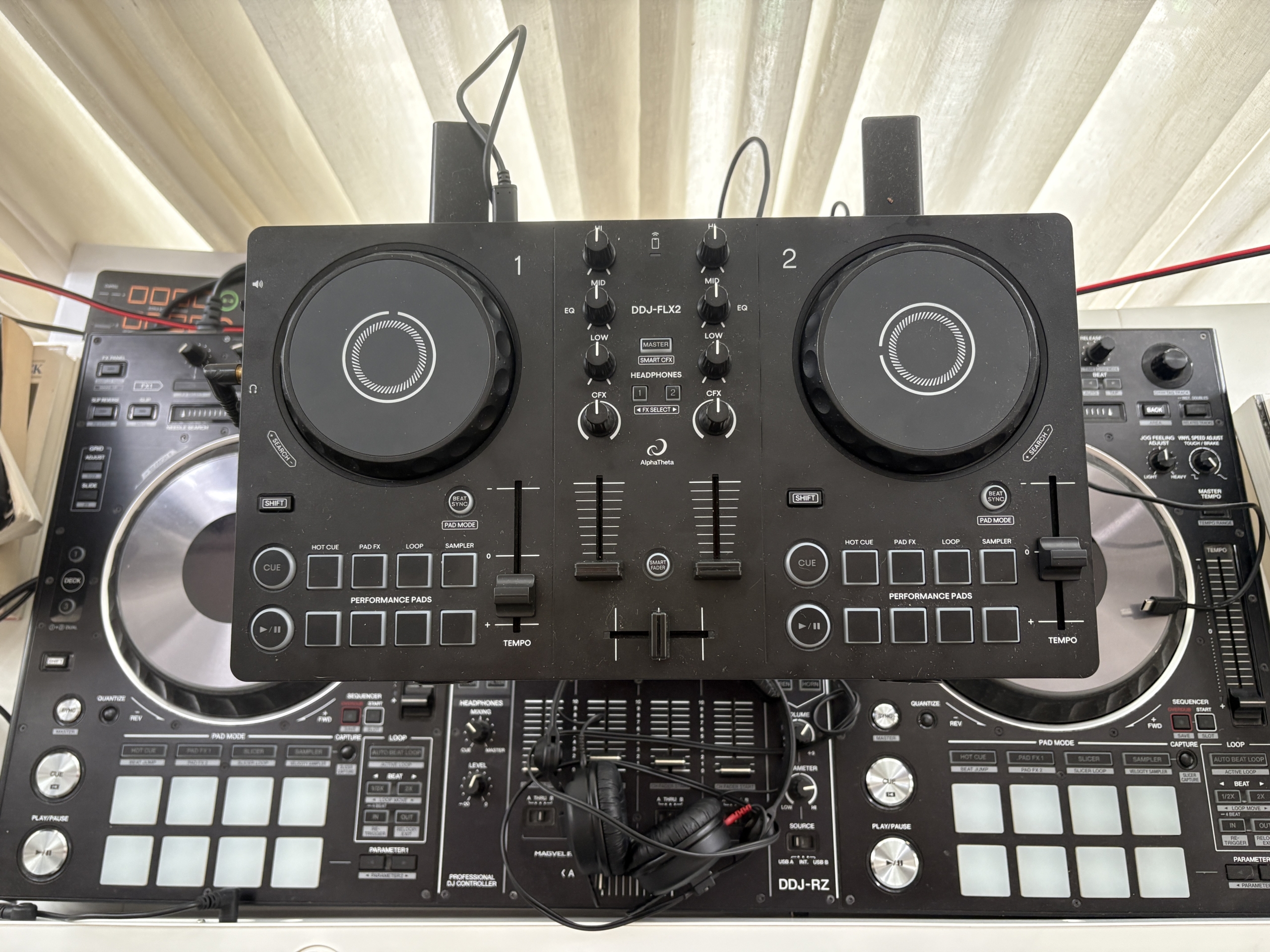
Photo credit: Markus Svoboda
FINAL THOUGHTS ON THE DDJ-FLX2
Are you looking for a portable DJ controller that allows you to spin while travelling? Want something you can throw into a backpack and take on holiday? Or maybe you just want to show up to a house party with a controller and see where the night goes?
Purch it. It packs a serious punch for the price point and is a ridiculously fun little travel companion.
Looking for a stepping stone to a full-fledged club setup? Go for a more advanced and expensive model. No worries. You can always consider this small-but-mighty selector’s station just for funsies in the future (as a treat).
You’re not trying to build the world’s most complicated DJ setup. You’re just trying to make some music. Vueling or RyanAir won’t charge me extra for sneaking this on the plane for my next trip, either.
See you on the dance floor (or house party, airport lounge, in-flight, beach, living room, etc.), you beautiful people!!


Leave a Reply
Want to join the discussion?Feel free to contribute!